v2.0.0 – Phonebook, BLF, Ring Groups & IVR Updates
New phonebook (global & per extension), BLF/pickup groups, ring groups with DID assignment, and IVR improvements including upload, retries, and inbound DID mapping.
Read moreGonoPBX is a web-based management interface for Asterisk – a side project that grows step by step. Extensions, SIP trunks, call forwarding, voicemail, and call history – all via an intuitive web GUI. The project is still evolving and I am always open to new ideas – if you have a suggestion, feel free to reach out. I will implement it as time allows.
 Works with Home Assistant Sensors, MQTT events & call control from your smart home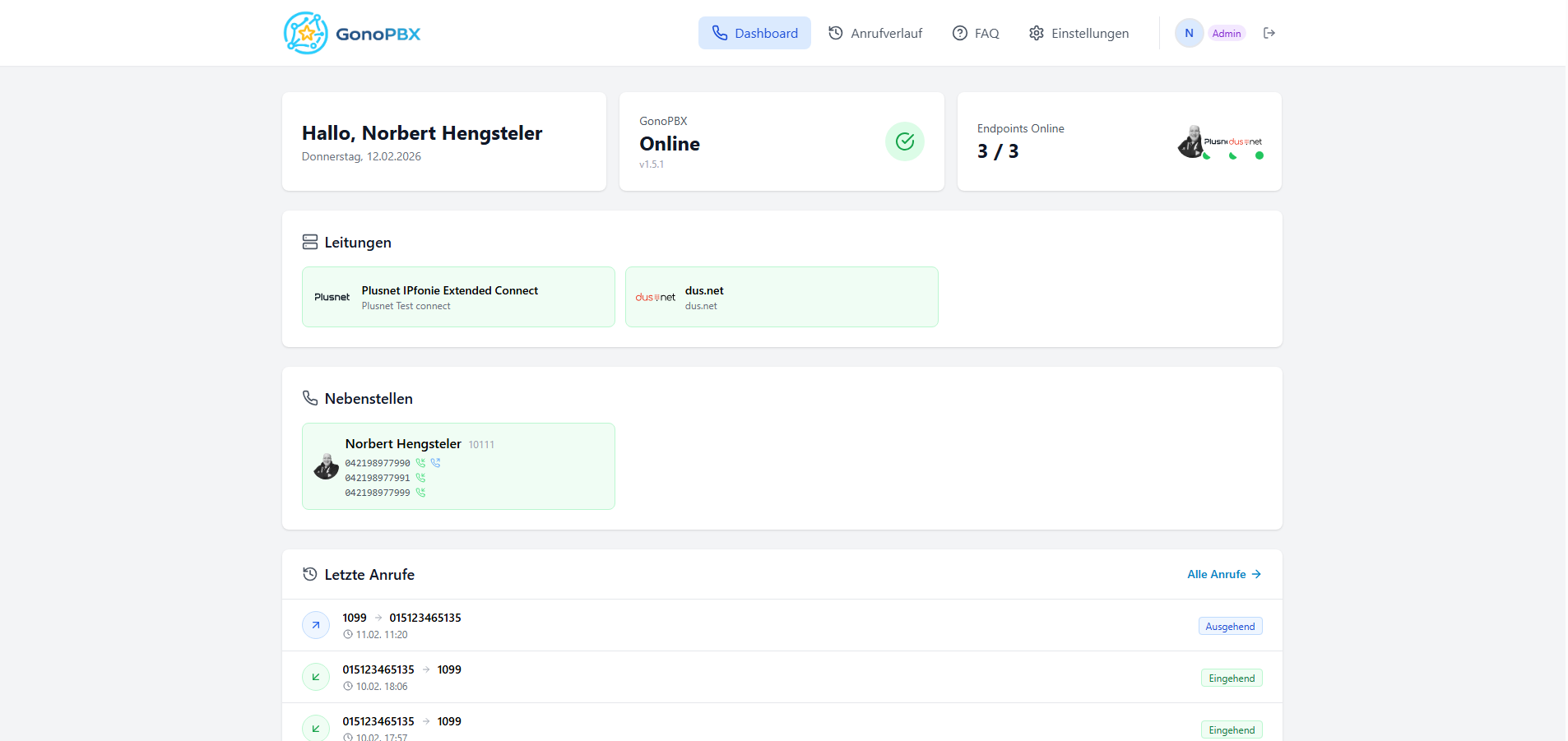
The most important release at a glance.
New phonebook (global & per extension), BLF/pickup groups, ring groups with DID assignment, and IVR improvements including upload, retries, and inbound DID mapping.
Read moreManage your entire phone system from one modern, central web interface.
Create, edit, and delete SIP accounts. Each extension with its own caller ID, context, and activation status.
Connect to SIP providers via registration or IP authentication. Built-in support for Plusnet IPfonie and more.
NewLive view of SIP messages directly in the browser. Grouped by Call-ID, with expandable raw SIP text – no SSH needed.
Assign inbound numbers (DIDs) flexibly to extensions. Number block management per trunk.
Immediate, busy, and no-answer forwarding per extension. Enable with a toggle.
Per-extension voicemail boxes with PIN, email notifications, and built-in audio player.
Complete call detail records with filters by source, destination, and status. Statistics at a glance.
Multi-user system with admin and user roles. JWT-based authentication.
Real-time overview: Asterisk status, registered endpoints, active lines, and recent calls via WebSocket.
Choose which DID is shown for outbound calls per extension. Optional P-Asserted-Identity header.
Full system ready in minutes with docker compose up. Includes an automated installer.
See GonoPBX in action – from the live dashboard to server management.
Everything important at a glance: personal greeting, system status, registered endpoints, and recent calls – updated live via WebSocket.
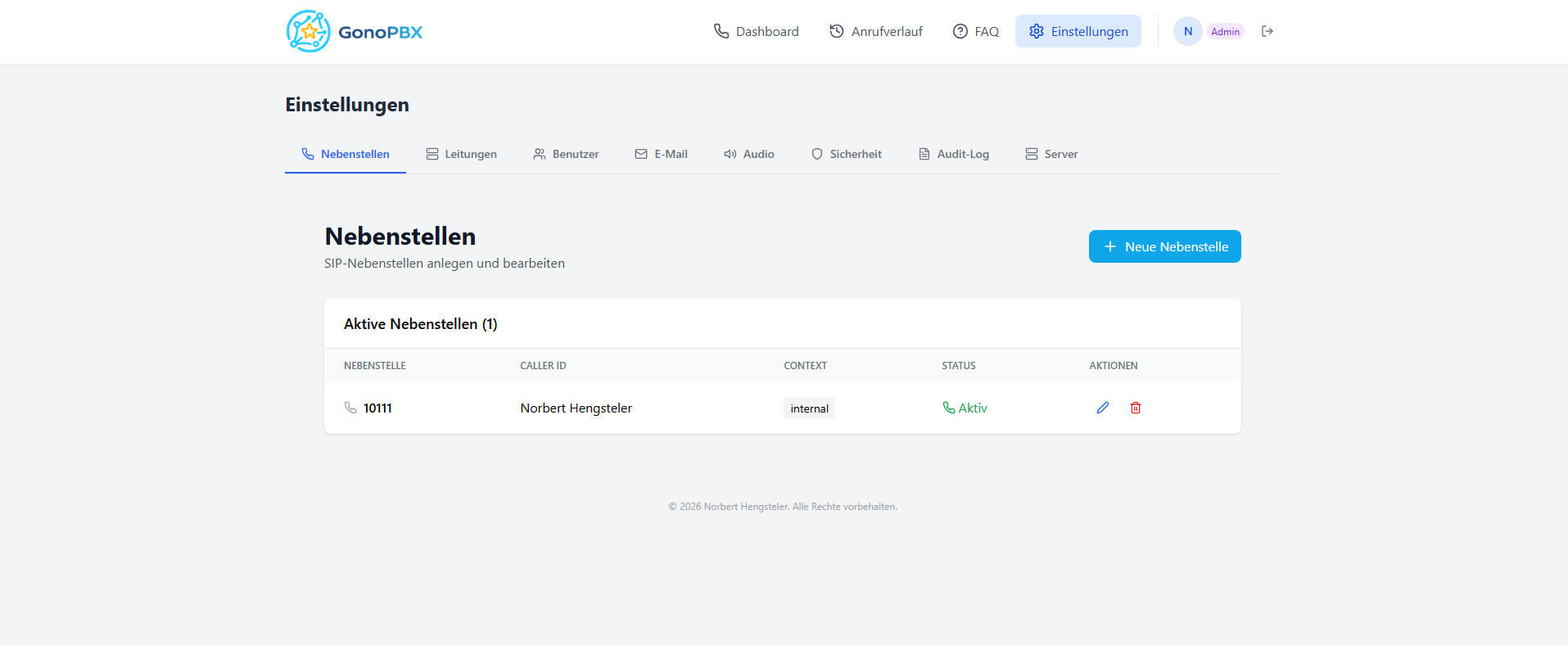
All configuration areas in a clear tab layout: extensions, lines, users, email, audio, security, and server.
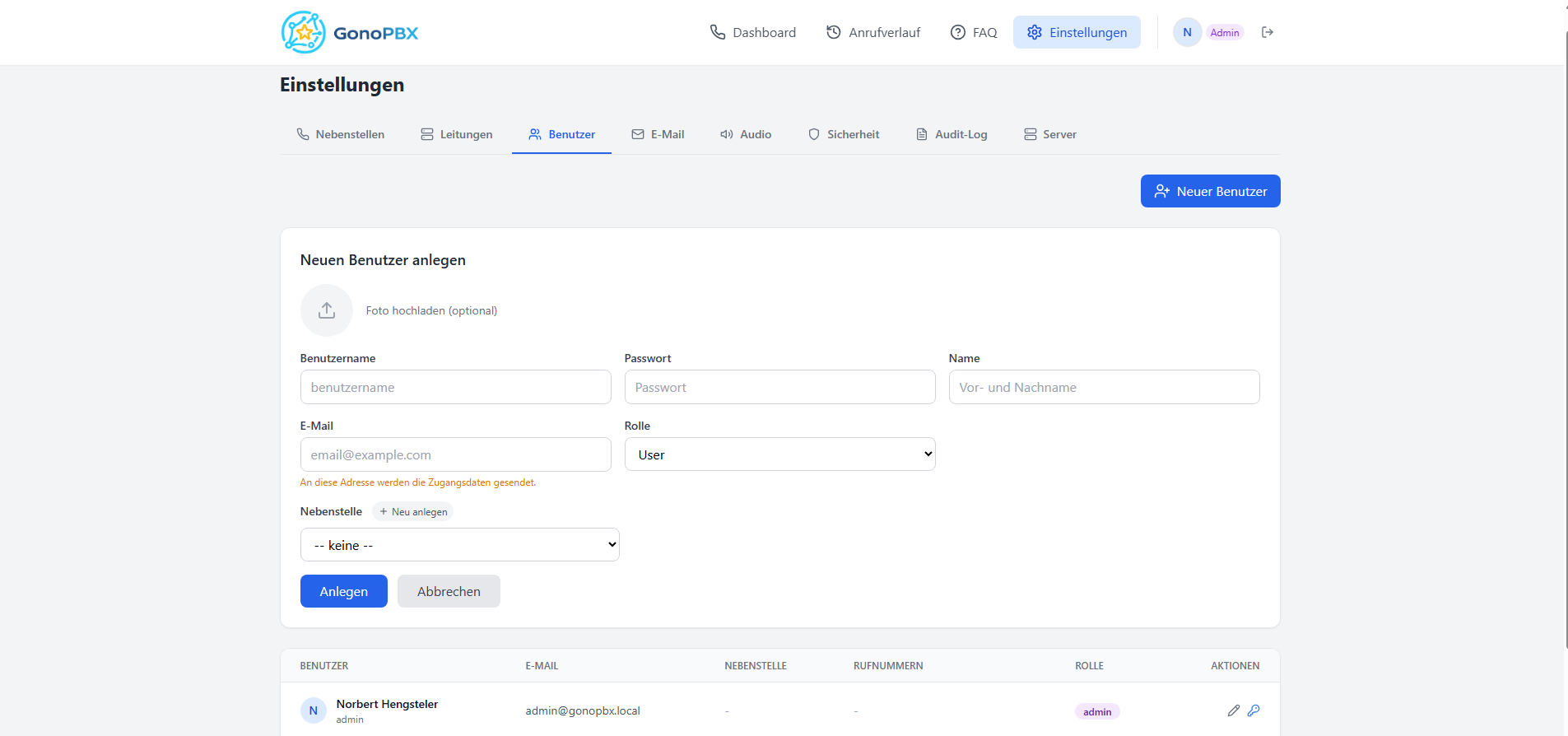
Create new users with avatar, role, and extension assignment. Credentials are sent automatically via email.
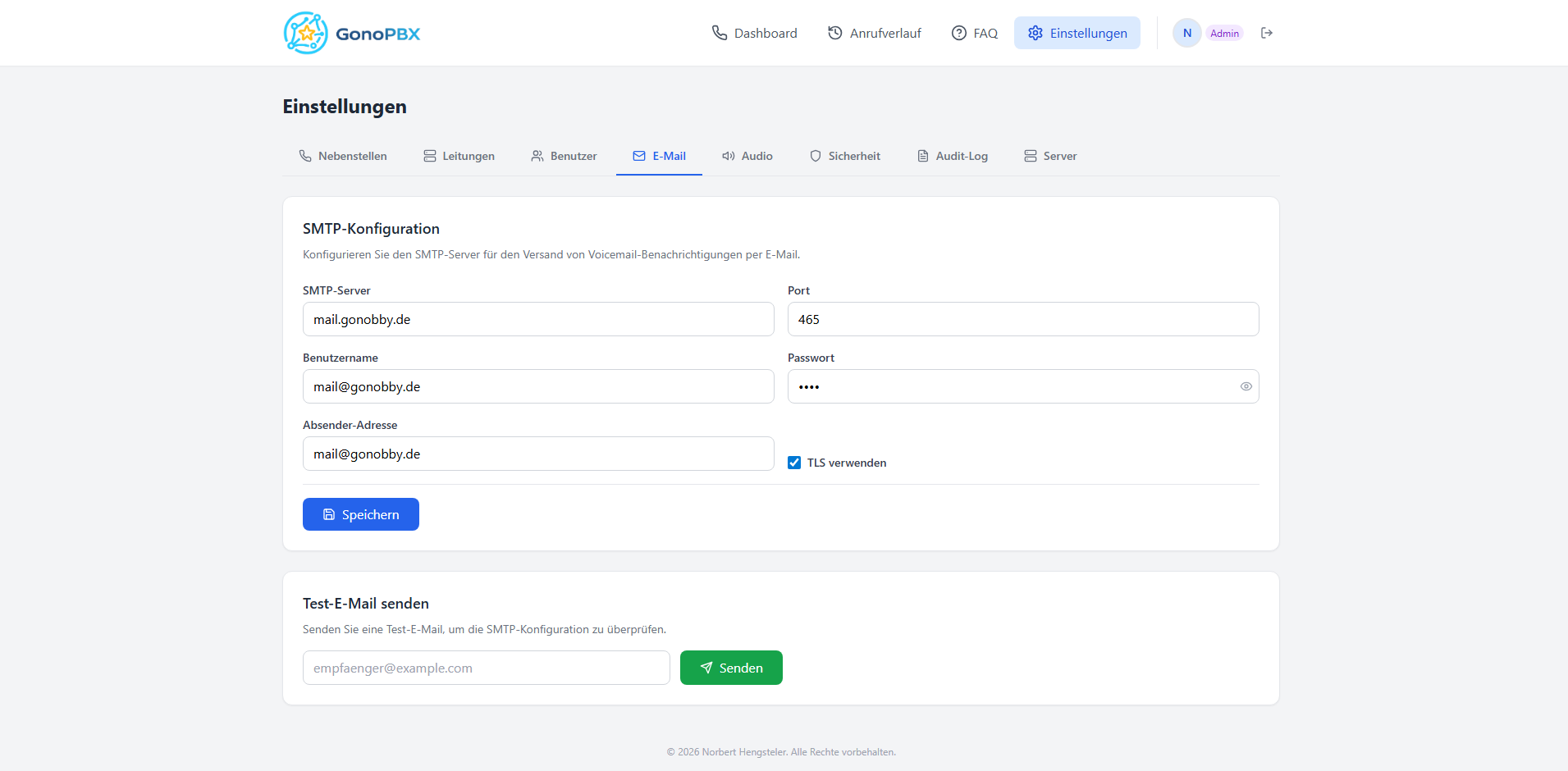
Configure SMTP for voicemail notifications and set audio codecs globally – individual extensions can override the settings.
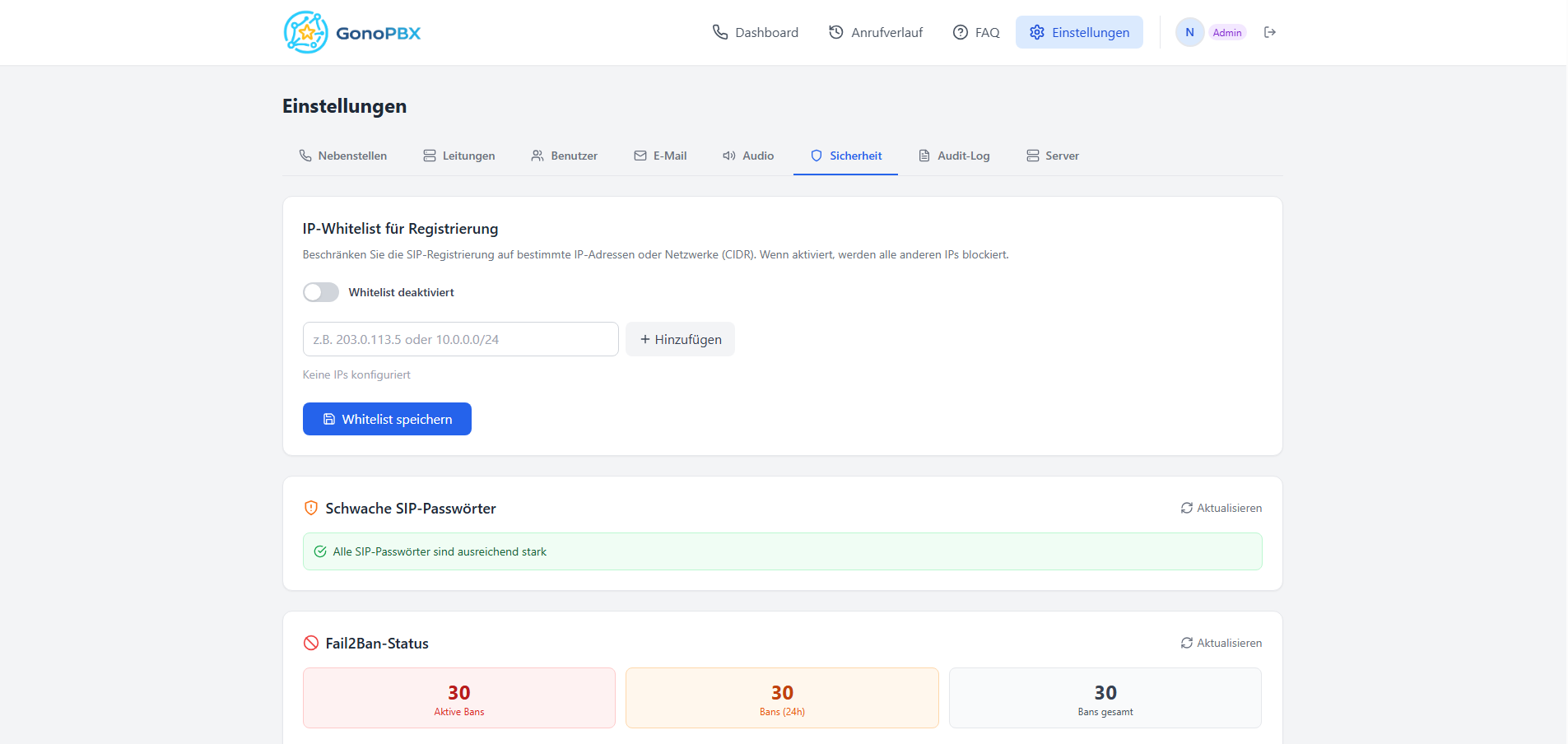
IP whitelist for SIP registrations, weak password checks, and integrated Fail2Ban management – all in one view.
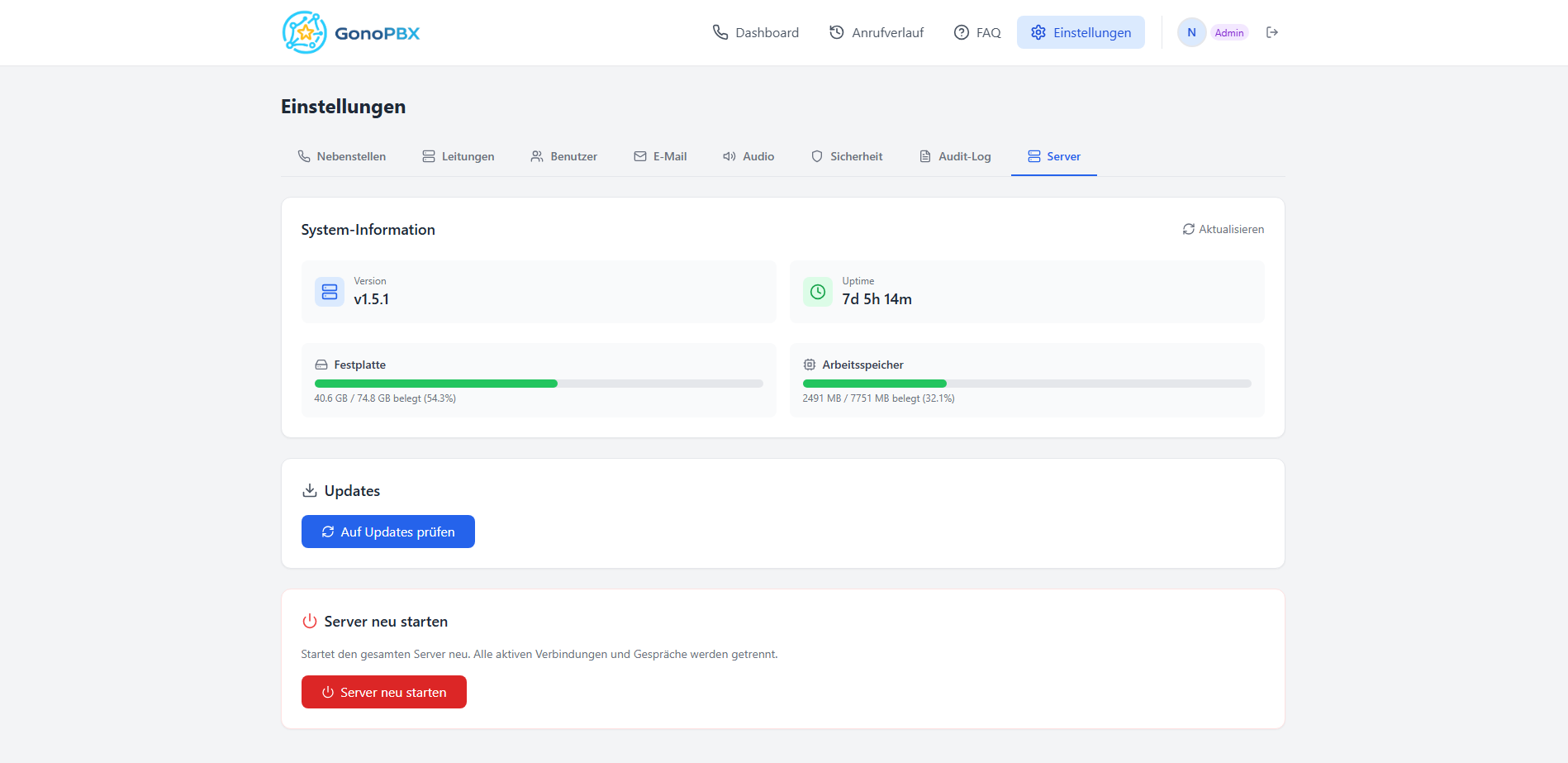
System status with version, uptime, disk and RAM usage. Check and install updates directly from the web UI.
Built on proven open-source technologies.
Proven open-source PBX with PJSIP
Modern Python backend with automatic API documentation
Fast, type-safe frontend with Vite and Tailwind CSS
One command runs everything: Asterisk, backend, frontend, database
Reliable database for configuration and call history
Secure authentication with JSON Web Tokens and bcrypt
Real-time updates for call status and Asterisk events
Automatic SSL certificates for secure HTTPS access
Works with Home Assistant Integrate GonoPBX into Home Assistant – call status as sensors, real-time events for automations, and start calls directly from your HA dashboard.
GonoPBX Entities GonoPBX installs in minutes on any Linux server.
Requirements: Linux (x86_64 or ARM64), Docker & Docker Compose. At least 1 GB RAM and 5 GB storage.
Download the source code from GitHub.
The interactive installer detects your server IP, generates secure passwords, and creates the configuration.
GonoPBX starts automatically. Open your browser and log in with the generated admin credentials.
☕
GonoPBX is an open-source side project – free and ad-free. If you like the project, you can support continued development with a coffee.
Your contribution helps with hosting, domain costs, and keeps development moving.